- 您现在的位置:买卖IC网 > Datasheet目录686 > DV1-100 (TechTools)DIGIVIEW LOGIC ANALYZER 100MHZ Datasheet资料下载
参数资料
| 型号: | DV1-100 |
| 厂商: | TechTools |
| 文件页数: | 65/149页 |
| 文件大小: | 0K |
| 描述: | DIGIVIEW LOGIC ANALYZER 100MHZ |
| 标准包装: | 1 |
| 系列: | DigiView™ |
| 工具类型: | 逻辑分析器 |
| 适用于相关产品: | PC 基板应用 |
| 其它名称: | Q1561498 |
第1页第2页第3页第4页第5页第6页第7页第8页第9页第10页第11页第12页第13页第14页第15页第16页第17页第18页第19页第20页第21页第22页第23页第24页第25页第26页第27页第28页第29页第30页第31页第32页第33页第34页第35页第36页第37页第38页第39页第40页第41页第42页第43页第44页第45页第46页第47页第48页第49页第50页第51页第52页第53页第54页第55页第56页第57页第58页第59页第60页第61页第62页第63页第64页当前第65页第66页第67页第68页第69页第70页第71页第72页第73页第74页第75页第76页第77页第78页第79页第80页第81页第82页第83页第84页第85页第86页第87页第88页第89页第90页第91页第92页第93页第94页第95页第96页第97页第98页第99页第100页第101页第102页第103页第104页第105页第106页第107页第108页第109页第110页第111页第112页第113页第114页第115页第116页第117页第118页第119页第120页第121页第122页第123页第124页第125页第126页第127页第128页第129页第130页第131页第132页第133页第134页第135页第136页第137页第138页第139页第140页第141页第142页第143页第144页第145页第146页第147页第148页第149页
Capturing Data
61
3
Capturing Data
Once signals 8 and triggers 27 are defined, you can capture a new buffer of data at any time by
pressing the 'Run' or 'Auto Run' buttons. If you tire of waiting on a trigger or it triggers but you tire of
waiting for it to fill up the buffer, you can STOP the capture to transfer the capture buffer to the
screen. When transferred to the screen, the capture is also stored in the capture history for later
analysis (based on Acquisition settings 53 ).
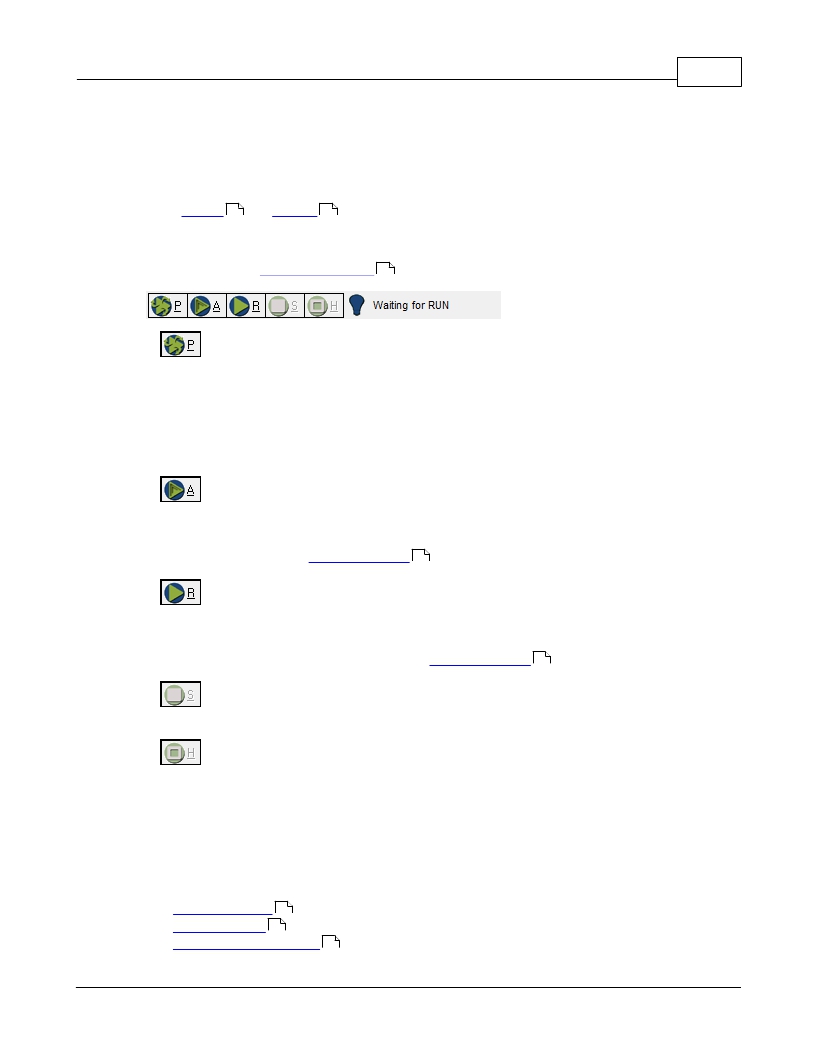
Preview - This mode will automatically transfer data to the PC repeatedly even if a
trigger condition has not been defined. This mode is very useful to Monitor signals while making
connections and only utilizes a small portion of the hardware buffer. In this mode, the buffer size
and duration of data collection is adjusted automatically to provide a "peek" of the logic activity
and is not intended for normal data analysis. The result is a virtual "LIVE" mode that does not try
to search the data (Auto Search windows) or store the data in the capture history. The data
displayed will be discarded when the results of a normal Run (single shot) or Auto Run are
displayed.
Auto Run - This will "ARM" the hardware, wait for the trigger condition, automatically
transfer the data to the PC when the buffer is full and automatically re-arm to repeat the process
until the Stop or Halt button is pressed. If you are waiting on a Trigger condition that you expected
to occur, you can select the "Stop" button to view the data already collected in the pre-fill portion of
the hardware buffer (see Analyzer Options 49 ).
Run - This will "ARM" the hardware and automatically transfer the data to the PC
when the buffer is full. If you do not want to wait for a long capture, you can select the "STOP"
button to force a transfer of the current data captured. If you are waiting on a Trigger condition
that you expected to occur, you can select the "Stop" button to view the data already collected in
the pre-fill portion of the hardware buffer (see Analyzer Options 49 ).
Stop - This will halt the capture and transfer whatever was captured to the PC for your
analysis.
Halt - This will reset the hardware and abort the capture without changing the data
currently being analyzed. When the halt button is pressed, no data is transferred to the screen or
the Capture History.
When you click on 'Run' (or Auto Run), you are actually arming the trigger circuit. Upon trigger, the
hardware allows the buffer to continue past the pre-fill point and to continue filling up (post-fill). Once
the buffer is full, it is transferred to the PC. After the buffer is transferred, the hardware immediately
resets and begins pre-filling in preparation for the next RUN. In Auto Run mode, the next Run starts
automatically.
· Hardware Status 63
· Capture History 64
? 2014 TechTools
68
相关PDF资料 |
PDF描述 |
|---|---|
| DV75C-020.0M | OSC TCXO 20.000 MHZ 3.3V SMD |
| DV75D-020.0M | OSC TCXO 20.000 MHZ 3.3V SMD |
| E2G0402S | SWITCH ROTARY LEVER 4P-2POS |
| E3G0603N-2 | SWITCH ROTARY 6P-3POS MOMENTARY |
| E4C-N10 | WAFER SW DP-8POS NON-SHORTING 9A |
相关代理商/技术参数 |
参数描述 |
|---|---|
| DV11201-S3 | 制造商:Foxconn 功能描述: |
| DV11203-D4 | 制造商:Foxconn 功能描述: |
| DV11203-R0 | 制造商:Foxconn 功能描述: |
| DV11206-S2 | 制造商:Foxconn 功能描述: 制造商:Foxconn 功能描述:Electronic Component |
| DV115K3225T | 制造商:SEI Stackpole Electronics Inc 功能描述:- Tape and Reel 制造商:SEI Stackpole Electronics Inc 功能描述:Var MOV 115VAC/150VDC 400A 180V 3225 SMD T/R |
发布紧急采购,3分钟左右您将得到回复。