- 您现在的位置:买卖IC网 > PDF目录18957 > DV3400 (TechTools)DIGIVIEW LOGIC ANALYZER 400MHZ PDF资料下载
参数资料
| 型号: | DV3400 |
| 厂商: | TechTools |
| 文件页数: | 14/149页 |
| 文件大小: | 0K |
| 描述: | DIGIVIEW LOGIC ANALYZER 400MHZ |
| 标准包装: | 1 |
| 系列: | DigiView™ |
| 工具类型: | 逻辑分析器 |
| 适用于相关产品: | PC 基板应用 |
| 产品目录页面: | 660 (CN2011-ZH PDF) |
| 相关产品: | CBL-DV3-ND - CABLE DATA REPL FOR DV3400 18CH CLIP3-10-ND - CLIPS REPL FOR DV3400 (10PC/PKG) |
第1页第2页第3页第4页第5页第6页第7页第8页第9页第10页第11页第12页第13页当前第14页第15页第16页第17页第18页第19页第20页第21页第22页第23页第24页第25页第26页第27页第28页第29页第30页第31页第32页第33页第34页第35页第36页第37页第38页第39页第40页第41页第42页第43页第44页第45页第46页第47页第48页第49页第50页第51页第52页第53页第54页第55页第56页第57页第58页第59页第60页第61页第62页第63页第64页第65页第66页第67页第68页第69页第70页第71页第72页第73页第74页第75页第76页第77页第78页第79页第80页第81页第82页第83页第84页第85页第86页第87页第88页第89页第90页第91页第92页第93页第94页第95页第96页第97页第98页第99页第100页第101页第102页第103页第104页第105页第106页第107页第108页第109页第110页第111页第112页第113页第114页第115页第116页第117页第118页第119页第120页第121页第122页第123页第124页第125页第126页第127页第128页第129页第130页第131页第132页第133页第134页第135页第136页第137页第138页第139页第140页第141页第142页第143页第144页第145页第146页第147页第148页第149页
10
2.3.1.1
DigiView User's Guide
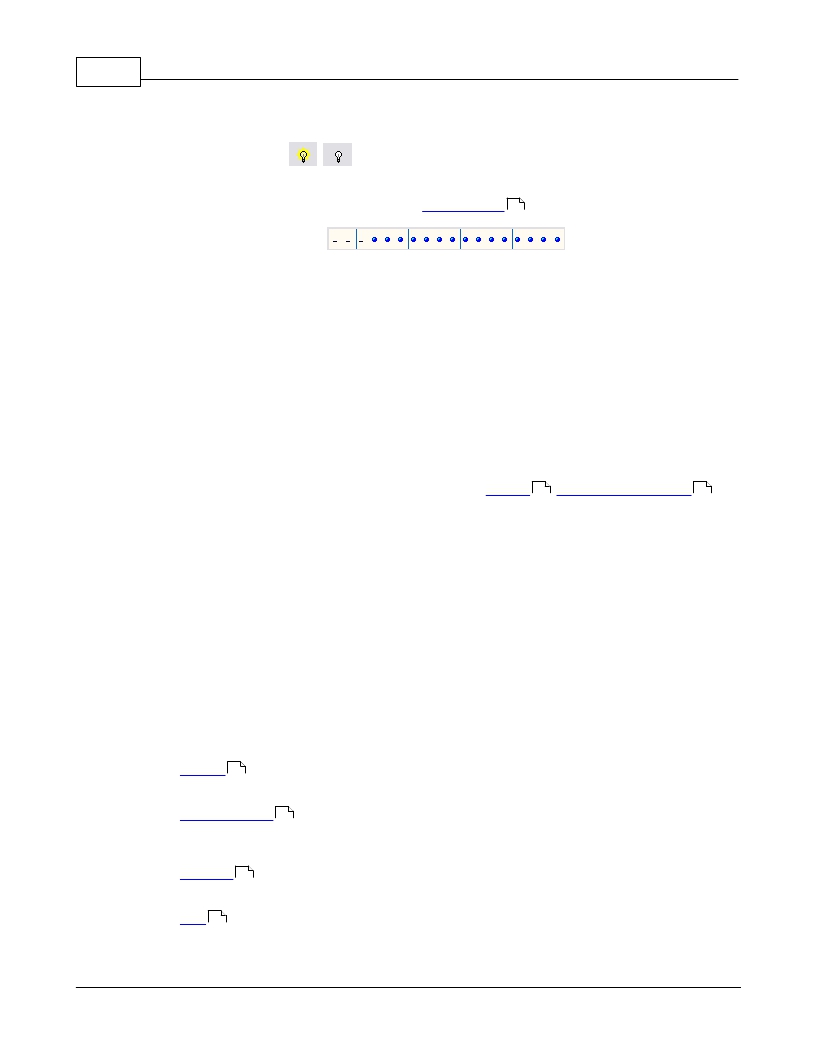
Enabled Status -
Indicates the enabled state of the signal. When the lightbulb is ON, the signal is enabled.
Click this button to toggle the "enabled" status of the signal. This value can also be changed
by editing the signal's properties. (see: Signal Editors 10 )
Associated Channels -
All channels associated with this signal definition will be indicated in this display as a blue
"dot". Channel 0 is in the farthest right column and channel 17 (or 35) is in the farthest left
column (as marked in the header.) Light blue lines appear every 4th channel and non
associated channels appear as '-' as a reference. Also, colored squares at the top show
each channel's wire color. Notice that there are only 9 colors so the color sequence repeats
(channels 0 and 9 are both brown - the color Black is used for ground connections).
Signal Editors
DigiView provides several "Signal" type definitions which allow unique methods of interpreting and
displaying the raw data captured on the logic channels. Each Signal type has a unique editor with
relevant options for its type. From the editor you will also assign some of the physical logic
channels to be used for this new signal definition. (see: Signals 8 , Connecting Data Lines 6 )
You may choose to repeat the use of some channels in multiple Signal definitions in order to
interpret the data differently and gain a perspective that is relative to your current point of interest.
This can be done easily by creating a new Signal using the definition with the properties you
require. Using the same channels in multiple definitions will not have any effect on the actual
capture, but can greatly increase your ability to analyze the data and present visual representation
to others.
NOTE: For your convenience, the signal editors display a darker background on channels that are
already assigned to other signals. However, the same channel can be assigned to as many signal
definitions as you need. For instance, if you want to capture the Read and Write cycles of an SPI
bus using separate signal definitions (instead of the combined read/write of the SPI signal type),
you can create 2 Synchronous Serial signals and assign the same channel as the Clock for each
definition.
The currently available Signal Types are listed below. Details of each type's properties are
described in the following sections.
Analog 16
Multiple channels combined to a single analog view.
Asynchronous 14
Serial UART analysis, pre-selected and custom baud rates, channel inversion option, from 4
to 8 bit selectable, parity option, Framing options and Glitch filter.
Boolean 11
Single channel viewing.
Bus 12
Multi-channel viewing.
? 2014 TechTools
相关PDF资料 |
PDF描述 |
|---|---|
| DV3100 | DIGIVIEW LOGIC ANALYZER 100MHZ |
| CSX750FCC10.000M-UT | OSCILLATOR 10.0000 MHZ SMD |
| AM50610D33-A | SWITCH MINI 6A SPDT PLUNG.250"QC |
| 558-1601-003F | LED SNAP-IN PANEL YELLOW |
| CWX823-018.432M | OSC 18.4320MHZ 3.3V +-50PPM SMD |
相关代理商/技术参数 |
参数描述 |
|---|---|
| DV-3550-40P0-BL | 制造商:Digital View 功能描述:CTRLR;MITSUBISHI AA150XA01 W/ |
| DV35K3225T | 制造商:SEI Stackpole Electronics Inc 功能描述:VAR 35VAC 45VDC 100A 56V 3225 SMD - Tape and Reel 制造商:SEI Stackpole Electronics Inc 功能描述:Var MOV 35VAC/45VDC 100A 56V 3225 SMD T/R |
| DV35K4032T | 制造商:SEI Stackpole Electronics Inc 功能描述:VAR 35VAC 45VDC 250A 56V 4032 SMD - Tape and Reel 制造商:SEI Stackpole Electronics Inc 功能描述:Var MOV 35VAC/45VDC 250A 56V 4032 SMD T/R |
| DV-3ESD1 | 制造商:Metro Datavac 功能描述:Data Vac/3 ESD Vacuum Cleaner 制造商:METROPOLITAN VACUUM CLEANER 功能描述:ESD CLEANING SYSTEM, 100CFM; Power Rating:900W; Flow Rate:100cu.ft/min; Suction:2032mm; Weight:21lb; Leaded Process Compatible:No; Peak Reflow Compatible (260 C):No ;RoHS Compliant: No |
| DV40 | 功能描述:数字万用表 NCV VOLTAGE DETECTOR AND IR RoHS:否 制造商:Tektronix 产品:Multimeters 类型:Bench 准确性:0.04 % 电压范围:2 V to 2 kV 电阻范围: 电容范围: 显示计数: 频率:10 Hz to 45 Hz, 850 Hz to 1 MHz 测距: 真均方根值: 数据保持: |
发布紧急采购,3分钟左右您将得到回复。